Today the Agent Does What He Isn't Allowed To
My agent wants to run a command as root. It has no sudo entry, no password, nothing in /etc/sudoers. That's by design. Here's the path I built so it can execute exactly one command — approved by a human, audited, not cacheable, not reusable.
Today my agent is going to do something it isn't allowed to do.
This is not a metaphor. openclaw runs on a mini PC at home as its own OS user named openclaw. This user has no sudo entry. No password. Nothing in /etc/sudoers. No NOPASSWD. This is deliberate — the whole point of running the agent as its own unprivileged user is that I never have to implicitly trust what it does.
Today it needs a command as root.
The Default Reflex
If you search the internet for "how to give an AI agent sudo," pretty much every tutorial gives you the same suggestion: add the agent user to /etc/sudoers.d/, set NOPASSWD: ALL, and you're done. Sometimes the line is scoped to specific binaries, but the underlying attitude is the same: trusted once, trusted forever, no questions asked.
I've never done this and never will. The reasons aren't paranoia — they're architecture.
NOPASSWD: ALL is not a security statement. It's the abandonment of security. The sudo mechanism exists to require proof of authorization. When that proof is removed, the remaining effect of sudo is just switching the effective UID. The entire audit and policy layer is gone.
The agent becomes a permanently privileged user. Whoever gains access to the running agent process — a compromised npm package in a tool, a prompt injection in a remote document, a buggy hook — has root on the machine from that moment on. Not for an hour, not "while the agent is actively working," but structurally and permanently.
Caching turns approved once into approved forever. Standard sudo has a timestamp_timeout of 5 to 15 minutes. For interactive humans, that's convenient. For an agent that can theoretically issue commands every second, it means: a single approved command is enough, and the entire window afterward is wide open.
Together this means: NOPASSWD is not a somewhat weaker variant of proper sudo. It's categorically something else. It gives up the user as a security boundary.
What sudo Assumes, and Why Those Assumptions Break for Agents
sudo grew out of a world where the user sits at the terminal and types. Three assumptions are baked into this design:
- The invoker is the authorized person. The password is the bridge between body at keyboard and entry in /etc/passwd. When the invoker is a process without memory, no such bridge exists. A process can hold a password, but holding is not authentication — it's just storage.
- Cache optimization is good. True for interactive humans who issue multiple commands during an admin session and don't want to re-enter their password each time. Catastrophic for agents, for whom "multiple commands in a row" is the default case and exactly the situation that shouldn't be blanket-approved.
- Policy is decidable at configuration time. True for admin workflows with a known role matrix. Not true for agent workflows, which are by definition unpredictable — nobody knows at 14:32 which command will be needed at 14:37, so nobody can write it into
/etc/sudoers.d/at 14:00.
These three assumptions aren't wrong — they're built for a different world. The world of humans. When you apply them unchanged to agents, you implicitly adopt the trust model of the human world, without the feedback loops that make it viable in the human world (social pressure, personal auditability, memory).
The Inversion
So I needed a mechanism that answers the question "is this process allowed to run this one command as root right now?" live — not in advance, not cached, but once per command, and not by the agent itself, but by a human.
The thing I built for this is called escapes. It's a setuid-root binary, written in Rust, publicly available on GitHub, and has exactly one job: execute a command with elevated privileges, but only if a signed grant token from an OpenApe IdP exists that was approved by a human in real time, for exactly this command, on exactly this machine, exactly once.
The hard boundary stays hard. Only the crossing is audited.
The agent user gets nothing added. It remains unprivileged. It still has no entry in sudoers. What it gets is the ability to request a grant — and if I as the approver agree, then for exactly a fraction of time, for exactly one command, the boundary is open. It's not the user that gets approved, but the crossing.
The Concrete Flow
Here's what happens when openclaw wants to run whoami as root today.
The agent calls:
apes run --as root -- whoami
A single command. No sudo. No password prompt. No existing session. The CLI apes sees the --as root flag and switches to the escapes audience flow. It creates a grant request at the IdP with a payload like this:
{
  "audience": "escapes",
  "target_host": "mini.local",
  "command": ["whoami"],
  "decided_by": "patrick@hofmann.eco"
}
The IdP sends this request to me for approval. In the browser UI I see the full command, the target host, the agent, and the Approve/Deny buttons. I decide.
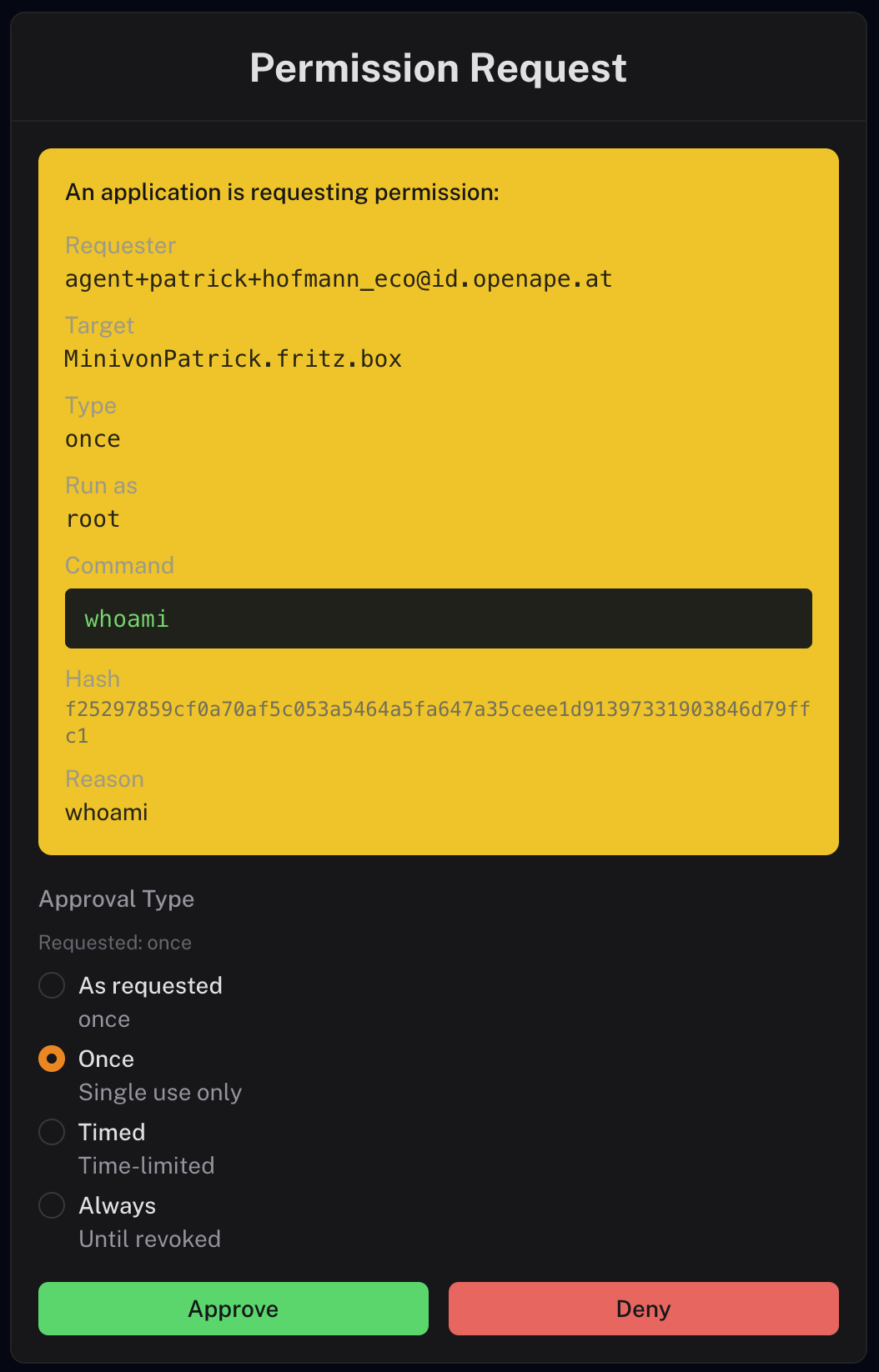 When I approve, my passkey signs the grant, the IdP returns a JWT, the CLI takes the JWT and calls:
escapes --grant <jwt> -- whoami
escapes runs with effective UID 0 (setuid bit), verifying seven properties of the grant before it even considers executing anything:
- Issuer is in
allowed_issuers— only JWKS from these IdPs are fetched - JWT signature is valid against the JWKS
- Approver is in
allowed_approvers(this is the equivalent ofsudoers— but for humans, not processes) - Audience is in
allowed_audiences(default:["escapes"]) target_hostmatches this machine's actual hostname — a grant formini.localwon't work onserver01- Command /
cmd_hashmatches exactly the command being passed - IdP
/consumeconfirms: this grant token has never been redeemed — replay protection
Only when all seven checks pass does escapes sanitize the environment (strip LD_PRELOAD, reset PATH to defaults, etc.) and call execvp("whoami", []). The command runs as root, exactly once, sees exactly the argv I approved, on the machine I approved it for, and writes a full audit log entry to /var/log/openape/audit.log.
After exit, it's over. The grant is consumed. If the agent needs another root command two minutes later, the whole dance starts over. No cache. No timestamp. No residual trust.
sudoers Stayed Empty
While writing this series, I checked the sudo history to see when and why I've used sudo manually on my mini PC in the past few weeks. And to verify that the openclaw user actually passes through every line clean.
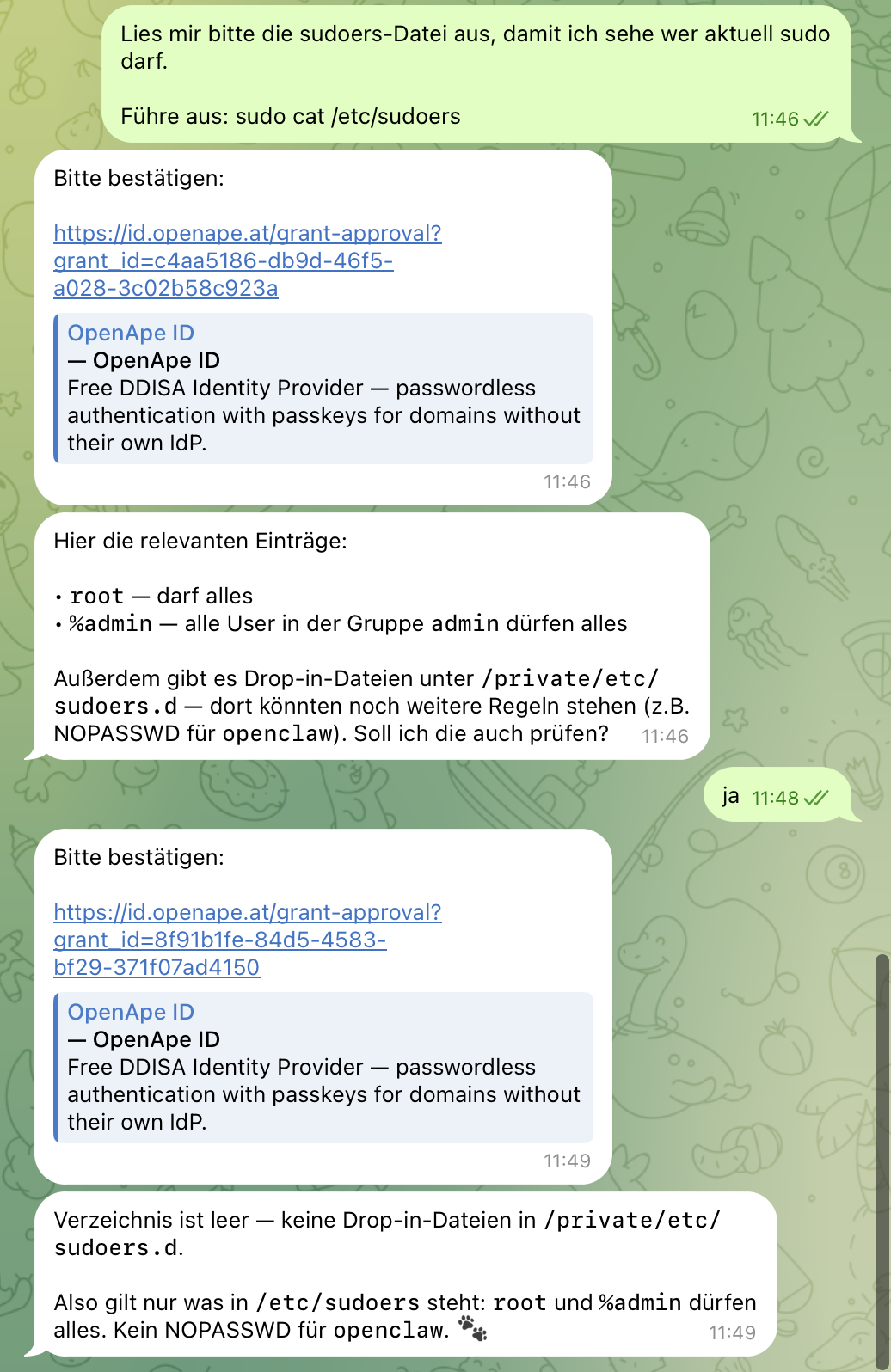
This is the point that matters. The sudoers configuration of this machine has not changed through the entire process. No new entry. No NOPASSWD. No privileged user. What changed is that there's a second path — not through sudo, but beside sudo — where commands can be elevated per grant instead of per password. sudo stays what it was meant for: interactive humans sitting at a terminal and typing. escapes handles the agent case that sudo never modeled.
The Categorical Difference
The question that came up under my ape-shell post: "Can't you do this more simply? Sudoers with command whitelisting?" The answer is no, and the difference is not gradual. It's structural:
| Axis | sudo (with NOPASSWD) | escapes |
|---|---|---|
| When is policy decided? | At configuration time, static in /etc/sudoers | At runtime, per command, fresh |
| Who decides? | The invoker — i.e. the agent itself | A separate approver, decoupled from the invoker |
| Credential lifetime | Cache, 5-15 minute default | Single-use JWT, /consume prevents replay |
| Command binding | Path-prefix matching (notoriously leaky) | cmd_hash in the signed JWT |
| Host binding | Static in Host_Alias | Cryptographically anchored in the JWT |
| Audit | Local, often not aggregated | JSONL with grant_id, approver, cmd_hash, issuer, target_host |
Every single row is a trust delegation point that sudo shifts to configuration time and escapes shifts to runtime. This shift is the actual content. Everything else — the Rust binary, the JWT, the seven checks — are the mechanisms that implement the shift technically.
Humans and Agents Are Equal at the Protocol Level
A side effect that only became clear to me while building: I now use apes run --as root -- for myself too. When I need a privileged command on one of the hosts my team manages, I type the same command my agent would type. Same flow. Same grant request. Same approval step.
The only difference: when I initiate the command, the approver is a team colleague. When the agent initiates it, I'm the approver. Same infrastructure, different role. This isn't coincidental. It's the principle humans and agents are equal at the protocol level, from which the entire OpenApe story originates, concretely applied to the privilege layer.
The consequence is that escapes is not an agent-specific tool. It's general infrastructure that happens to also be usable by agents. The same equal treatment that OpenApe put front and center for the login flow ("the human has a session, the agent has a session — the infrastructure doesn't know which is which") repeats here at the elevation flow.
What This Costs
Working within the grant system means waiting for humans. If openclaw decides at 3 AM that it needs a privileged command, it waits. It doesn't wake me up. It doesn't proceed without me. This isn't specific to escapes — it applies to every grant in the entire OpenApe stack, whenever the agent operates at the edge of what it's allowed to do. Ask first is the whole point. But it's friction, and if you don't want this friction, you're in the wrong place.
It needs infrastructure. Without a running OpenApe-compatible Identity Provider, nothing works — someone has to hold the signing keys, publish the JWKS, run /consume for replay protection. No IdP, no escapes.
And escapes is vibe-coded software. The security concept behind it is what matters — not whether my Rust code is bug-free. sudo has over 40 years of open-source audit time behind it. escapes probably has bugs, and Linus Torvalds would probably agree with me on that. The code is small, MIT-licensed, and on GitHub — if you want to use it in production, look at it first.
Getting Started
cargo install openape-escapes
Then grant the binary privileges — either via Linux capabilities:
sudo setcap cap_setuid+ep $(which escapes)
Or classically via the setuid bit:
sudo chown root:root $(which escapes) && sudo chmod u+s $(which escapes)
Then set up the trust relationship — /etc/openape/config.toml defines which IdP escapes trusts and who can approve grants:
[security]
allowed_issuers = ["https://id.openape.at"]
allowed_approvers = ["patrick@hofmann.eco"]
Two lines. allowed_issuers is the list of IdPs whose JWKS are accepted. allowed_approvers is the equivalent of sudoers — but for humans, not processes. Everything else has sensible defaults.
Then install apes, configure an IdP, and run your first command:
apes run --as root -- whoami
If everything is set up correctly, you'll get an approval request in the browser, approve it, and see:
root
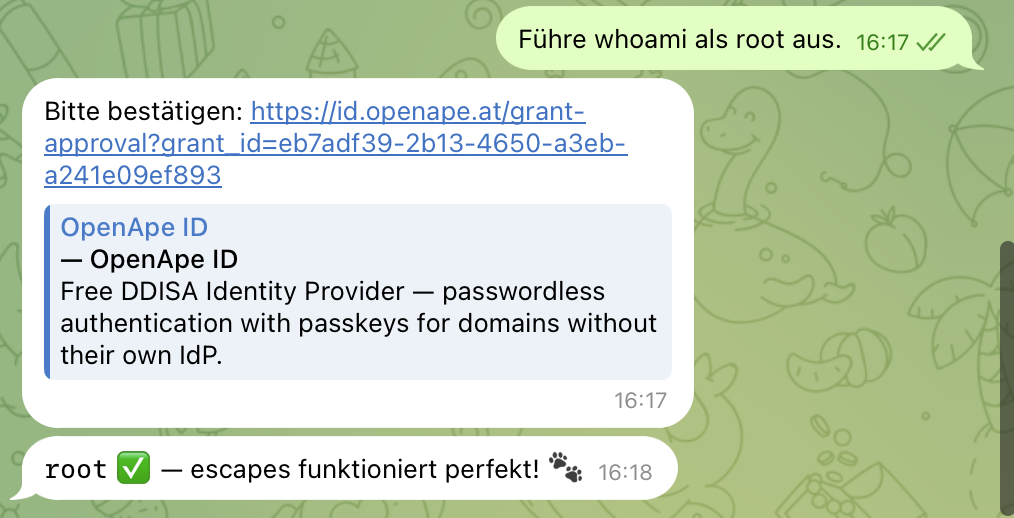
That's it. One word. And behind it stand seven verification steps, a signed JWT, an audit log entry, and an explicitly consenting human. The same output as sudo whoami, but a fundamentally different trust model.
Why This Is the Right Pattern for Me
Over the past few weeks I've been publicly building multiple layers of OpenApe — Identity, ape-shell, Claude Grant Gate, now escapes. Every single layer is a variation on the same thesis: Infrastructure over Instructions. The agent isn't asked to follow rules. The environment makes rule violations structurally impossible.
escapes is the layer where this becomes most visible, because it hurts the most when you get it wrong. Giving an agent root means you've effectively given up the machine. Giving an agent a single-use grant means you've given up just that one operation. The difference is everything.
The hard boundary stays hard. Only the crossing is audited.
And yes — cat /etc/shadow works too. Audit. Denied.
openape-escapes@0.4.0 is available on crates.io and on GitHub, MIT-licensed. The previous articles in this series tell how OpenApe, ape-shell, and the grant integration behind them came about.